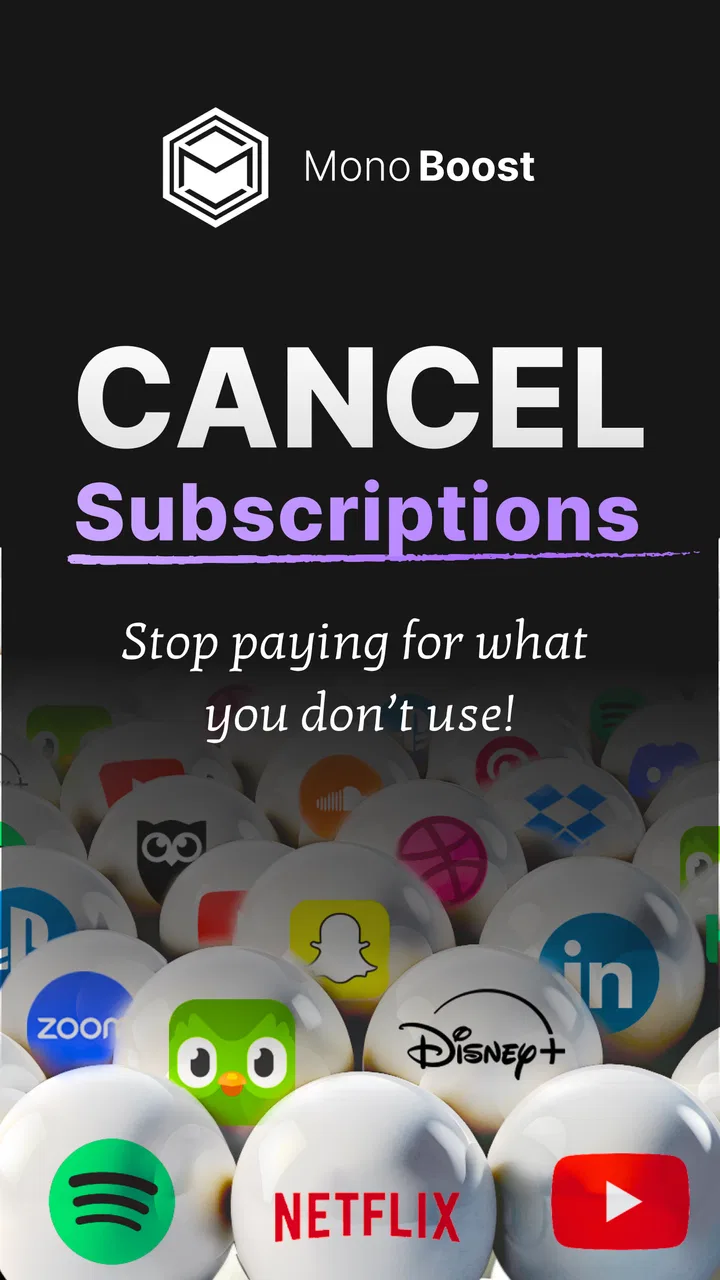
MonoBoost Cancel Subscriptions
- 3.7
- Rating
- 10.00K
- Installs
- Free
- Price

 Analysis by App-foxy
I approached MonoBoost Cancel Subscriptions as a practical tools app rather than something you open for entertainment. Its purpose is clear from the start: help you keep track of recurring services and stop subscriptions that no longer deserve a place in your monthly spending. That sounds simple, but the usefulness depends on how much control the app gives you when several small payments are spread across different services.
My overall impression is cautiously positive. The app has a focused job, a free entry point, and a straightforward audience: people who want a dedicated place to review subscriptions instead of relying on memory, scattered emails, or individual service settings. At the same time, I would not treat it as an automatic money-saving solution. It can make subscription decisions easier, but the real savings still come from checking each service and completing the cancellation process properly.
How MonoBoost fits into everyday subscription control
MonoBoost is an Android tools app from Mnboost Corp. It is suitable for Everyone, which matches the uncomplicated nature of its purpose. The app is available at no upfront price, while in-app purchases range from $9.99 to $99.99 per item. That distinction matters: you can try the basic experience without paying immediately, but the presence of paid items means anyone considering long-term use should examine what is included before committing.
You May Also Like

 AccuWeather: Weather Radar
AccuWeather Review: A Quick, Clear Forecast for Everyday Decisions
For everyday plans, the best forecast is the one you can understand quickly. AccuWeather makes rain timing, radar, and local conditions easy to act on, with a few trade-offs.

 Hill Climb Racing
Why Hill Climb Racing Still Turns Crashes Into One More Run
A tiny car, a bumpy hill and one more upgrade: Hill Climb Racing keeps resurfacing because its simple chaos makes every near-miss feel personal.

 AliExpress - Shopping App
AliExpress Makes Global Shopping Feel Personal, but Shoppers Bear the Risk
AliExpress turns a global marketplace into a pocket-sized discovery engine. Its reach is useful, its shopping loop compelling, and its trade-offs easy to miss.

 Lords Mobile: Kingdom Wars
Lords Mobile Is a Kingdom-Building Routine, Not a Quick Match
A case-by-case verdict on the building, battles, device demands, and social commitments that make Lords Mobile rewarding for some players and exhausting for others.

 PDF Scanner app - TapScanner
TapScanner Makes Paperwork Easier to Capture, Check, and Share
TapScanner makes scanning with a phone feel less like a rescue operation and more like a dependable step in getting work done. Its capture tools are useful, though not flawless.

 Block Blast!
 Shows How Much a Puzzle Game Can Leave Out
A quiet grid game shows why puzzle players increasingly value instant clarity, repeatable skill and low-pressure play—and where the genre still needs to catch up.
More From Our News Desk
View All News


The app has an average rating of 3.7 from nearly a thousand ratings, with more than a hundred written reviews. I read that as a mixed but useful signal rather than a reason to dismiss it. There is enough activity to show that people are trying the product, yet the rating also suggests that the experience may not feel equally smooth for everyone. MonoBoost has passed ten thousand installs, so it is not an entirely untested idea, but it remains a relatively small utility compared with the large financial and budgeting apps many people already know.
The current release is version 1.0.24 and it works on Android 9 or later. That makes compatibility fairly practical for people using older supported Android phones, although anyone on an earlier system would need to check their device before planning around it. The app’s short store label is “MonoBoost,” while its longer positioning focuses on subscription management and stopping unwanted recurring services.
What I like about this focus is that it avoids pretending to be a complete personal-finance system. If your immediate problem is “Which subscriptions am I still paying for, and which ones should I stop?”, a dedicated tool can feel less distracting than a full budgeting suite. The trade-off is that you should not expect it to replace broader spending analysis, banking tools, or careful review of transaction records.
What the free starting point really means
The free price makes MonoBoost easy to test. You do not have to make a purchase simply to find out whether the workflow suits you, and that is important for an app whose value depends heavily on personal habits. Some people only need a quick cleanup once in a while; others want an ongoing subscription routine. A free starting point lets both groups explore the app before deciding whether paid access is worthwhile.
Still, “free” should not be confused with unlimited value. The paid items may affect how useful the app becomes for regular management, and the listed purchase range is broad enough that the cost decision deserves attention. I would start by identifying the exact function you need, then check whether it is available without payment. If the free layer handles your occasional review, paying may add little. If you plan to use the app as a continuing control center, the paid offering becomes a separate value question rather than an automatic upgrade.
I also prefer judging the cost against the behavior the app encourages. If MonoBoost helps you notice one forgotten recurring payment and you cancel it successfully, even a modest saving could make the tool feel worthwhile. But that result is not guaranteed by installing the app. The app can organize the decision; it cannot make a service accept a cancellation that you have not completed or resolve a billing dispute on your behalf.
Where the app can save time
The strongest value is likely organizational. Subscription payments are easy to overlook because they are often small, arrive on different dates, and belong to services used at very different frequencies. A dedicated manager gives you a place to pause and ask whether each recurring charge still matches your current life. That is more useful than waiting for an annual bank review, when several months of unnecessary payments may already have passed.
I found the idea especially practical for people who rotate services. Someone might subscribe to a video platform for a particular show, keep a cloud tool for a temporary project, or activate a fitness service during a short-term routine. When the original reason disappears, the payment can continue quietly. MonoBoost is best understood as a reminder and decision-making aid for that kind of drift.
A good workflow is to use the app during a short, deliberate review rather than opening it randomly. I would begin with services I rarely use, then check trial conversions, annual plans, and subscriptions connected to old projects. After deciding what to stop, I would complete the cancellation directly through the relevant provider and keep the confirmation. That final step is important because a list or reminder is not proof that billing has ended.
Another useful habit is to separate “cancel now” from “review later.” Not every subscription is wasteful simply because it was not used this week. A service may be seasonal, shared with family, or valuable during a particular period. Treating every inactive item as an emergency can lead to unnecessary cancellations. MonoBoost is more useful when it supports deliberate choices instead of encouraging blanket cuts.
The realistic household scenario
Imagine a household where one person handles entertainment payments, another pays for work-related software, and both occasionally start free trials. The problem is not necessarily overspending; it is that nobody has a complete picture. A subscription manager can become the shared checklist for a monthly or quarterly conversation. Each person can explain which services are still needed, which belong to a temporary task, and which should be removed.
In that situation, the app’s value comes from visibility and routine. I would not rely on one person’s memory or assume that a canceled app on a phone means the underlying billing has stopped. I would use MonoBoost to identify the item, open the provider’s account controls, cancel it there, and then mark the task as completed only after checking the confirmation. This workflow reduces a common mistake: deleting an app while leaving the subscription active.
There is also a useful distinction between subscriptions paid through an app store and those billed directly by a company. The cancellation route can differ, so a manager should not be treated as a universal cancellation button unless the app clearly supports that process for the specific service. My practical advice is to use MonoBoost as the starting point, then verify the final status in the billing account or store subscription page.
What I would check before paying
Before spending money on MonoBoost, I would test whether it handles the services that matter to me and whether its free functions are enough for my routine. I would also check how much manual work remains. An app can present a clean list and still require you to search emails, compare bank transactions, or visit several provider pages. That is not necessarily a flaw, but it changes the time-saving calculation.
I would pay particular attention to the difference between tracking and cancellation. Tracking helps you remember what exists. Cancellation requires access to the correct account, the right billing channel, and often a confirmation step. If the paid value mainly improves organization, it may suit someone with many recurring services. If you only have a couple of subscriptions, a calendar reminder and the platform’s own subscription settings may be enough.
Because the paid items extend from $9.99 to $99.99 per item, I would avoid buying on impulse. The lower end may be reasonable for someone who expects regular use, but the higher end requires a much stronger reason. I would compare the purchase with the amount I realistically expect to avoid wasting, not with the total value of every subscription I own. A tool that helps me review spending is valuable only if I actually follow through.
Trade-offs compared with familiar alternatives
The usual alternative is not another subscription manager; it is a mixture of banking notifications, email searches, app-store settings, and memory. Those methods cost nothing, but they are fragmented. Bank records show charges, emails show confirmations, and store settings show some subscriptions, yet no single method necessarily gives a comfortable overview. MonoBoost’s advantage is the attempt to put the review process in one dedicated place.
A full budgeting app is stronger when the main goal is understanding income, categories, cash flow, and long-term spending. It may be excessive if all you want is a focused subscription cleanup. Conversely, a budgeting app can be the better choice if recurring payments are only one part of a larger financial problem. MonoBoost should not be selected simply because its purpose sounds convenient; it should be selected because subscription control is the specific gap in your current routine.
Manual tracking in a spreadsheet remains a serious competitor. A spreadsheet gives you complete control over fields, notes, dates, and custom calculations, and it does not depend on a specialized app’s design. MonoBoost is more approachable for someone who will never maintain a spreadsheet, while a spreadsheet is better for a person who wants detailed comparisons, household ownership, renewal planning, and personal formulas.
There is also a privacy and trust consideration whenever an app is used around financial habits. I would avoid entering sensitive information unless I understood exactly why it was needed and how the workflow handled it. Even without turning MonoBoost into a banking replacement, subscription data can reveal a great deal about a person’s routines. For me, the best approach is to share only what is necessary and verify important billing details through the original provider.
Small habits that make the app more effective
My first practical tip is to review subscriptions immediately after a life change: moving, changing jobs, finishing a course, ending a project, or switching entertainment habits. These moments expose services that were tied to an old routine. Waiting for a generic reminder is less effective because the connection between the payment and the original need becomes harder to remember.
My second tip is to record the reason for keeping a service, not just the fact that it exists. “Used for client work,” “needed during travel,” or “shared with the family” gives a future review more context. Without that explanation, an item can look unnecessary simply because it has not been used recently. This is especially important for seasonal subscriptions, where a quiet month does not automatically mean the service should disappear.
My third tip is to verify cancellations twice: once at the moment you submit the request and again when the next expected billing date approaches. Keep the provider’s confirmation message or reference in your normal records. MonoBoost can help you remember the task, but the provider’s account page and confirmation are the stronger evidence that recurring billing has actually stopped.
A fourth useful habit is to review annual plans separately from monthly ones. Monthly charges are easy to notice because they appear repeatedly, while an annual renewal can surprise you after a long period of silence. Put those renewals into the same review process, even if they do not feel like regular monthly subscriptions. This is one area where a simple list can prevent an expensive oversight.
Who will get the most value
I think MonoBoost is most suitable for people who have accumulated several digital services and want a focused cleanup tool. It may also help anyone who repeatedly starts trials, manages subscriptions for a household, or loses track of services connected to temporary work. These users are likely to benefit from a dedicated place to review decisions instead of depending on scattered reminders.
It is also a sensible option for someone who dislikes complex finance apps. The narrow purpose can be reassuring: you do not need to redesign your entire budget before addressing recurring payments. Start with the services you recognize, make a decision about each one, and then confirm the action at the provider level. That keeps the task manageable.
I would be more hesitant to recommend it to someone with only one or two subscriptions, especially if those are already easy to manage through Android’s own subscription controls or the service’s account page. In that case, adding a separate tool may create another place to maintain without solving a real problem. I would also skip it as a primary solution if you need detailed financial reporting, investment tracking, shared accounting, or transaction-level budgeting.
People who expect a single tap to cancel every service should set their expectations differently. Subscription systems are controlled by different companies and billing channels, so the final action may still require a provider’s website or account settings. If that manual step feels unacceptable, a manager may disappoint you even if its organization is good.
My buy-or-skip verdict
MonoBoost earns a cautious recommendation as a focused subscription-control tool, particularly because the no-upfront-cost entry makes it easy to test against your own routine. I like the basic idea of separating subscription cleanup from broader budgeting, and I can see real value for people who have recurring charges spread across many services. The app’s current 3.7 average shows that the experience is not universally convincing, so I would approach it as a practical experiment rather than an essential installation.
The key question is not whether MonoBoost can list your subscriptions; it is whether it helps you complete and verify the decisions you already know you need to make. If it does, paid access could be reasonable for a user with enough recurring services to justify the expense. If the free experience does the job, there is no obvious reason to pay merely for the label of being more organized.
I would try it during a real subscription review, starting with forgotten trials, unused services, and upcoming renewals. I would compare its workflow with the subscription pages already available on my phone and with a simple note or spreadsheet. If MonoBoost reduces confusion and encourages me to confirm cancellations, I would keep it. If it only duplicates lists I can maintain elsewhere, I would skip the paid items and remove the extra layer.
In short, MonoBoost Cancel Subscriptions is worth considering for Android users who need a dedicated nudge to examine recurring spending. It is not a replacement for provider account controls, banking records, or a full budget. Used with realistic expectations, it can turn a vague worry about subscriptions into a repeatable review process. For occasional users, the free starting point is the sensible route; for everyone else, the purchase should be justified by actual time saved and cancellations successfully completed.
FAQs for MonoBoost Cancel Subscriptions
01What is MonoBoost Cancel Subscriptions, and what does it do?
MonoBoost Cancel Subscriptions is designed to help users review and manage recurring subscriptions from one place. After connecting the relevant account or services, it can make it easier to identify active plans, check renewal details, and follow the cancellation process. It is mainly a management and organization tool, so users should still confirm that a subscription has been successfully canceled with the original provider.
02Can MonoBoost Cancel Subscriptions cancel every subscription automatically?
No application can necessarily cancel every subscription automatically, because providers use different billing systems, account requirements, and cancellation policies. MonoBoost may guide you through the appropriate steps or assist with supported services, but some subscriptions may require cancellation directly through Google Play, the App Store, a website, or a financial provider. Always check the confirmation message and your account settings afterward.
03Is MonoBoost Cancel Subscriptions free to use?
The available features, trial period, and pricing can depend on the version of MonoBoost and the platform where it is downloaded. Some subscription-management apps offer free basic tools while reserving advanced features for a paid plan. Before starting a trial or entering payment details, carefully review the in-app pricing, renewal terms, and cancellation instructions to avoid an unexpected charge.
04Is my personal and payment information safe when using MonoBoost?
Before using MonoBoost, review its privacy policy, requested permissions, and account-access requirements. A subscription manager may need information about services or billing accounts to display relevant details, but it should not request more access than necessary. Avoid sharing passwords or payment details outside official sign-in screens, enable device security, and remove access if you stop using the application.
05Will canceling a subscription through MonoBoost provide an immediate refund?
Canceling a subscription normally prevents future renewals, but it does not automatically guarantee a refund for a recent payment. Refund decisions are usually controlled by the original app store, website, or service provider and may depend on its terms and billing history. After cancellation, check the provider’s refund policy, save the confirmation, and verify the next billing date.
Pros
- Quickly identifies recurring subscriptions linked to your accounts.
- Helps reduce forgotten charges and unnecessary monthly expenses.
- Simple interface makes subscription tracking easy for beginners.
- Provides a central overview of upcoming renewal dates.
- Useful reminders can support better control of recurring payments.
Cons
- Cancellation support may vary between services and regions.
- Some subscriptions still require cancellation directly with the provider.
- Account access may be needed to scan or manage recurring payments.
- Features may be limited without a paid plan or subscription.
- Privacy concerns may arise when sharing financial or account information.

MonoBoost Cancel Subscriptions
Gallery